Gaming Laptop vs Gaming PC
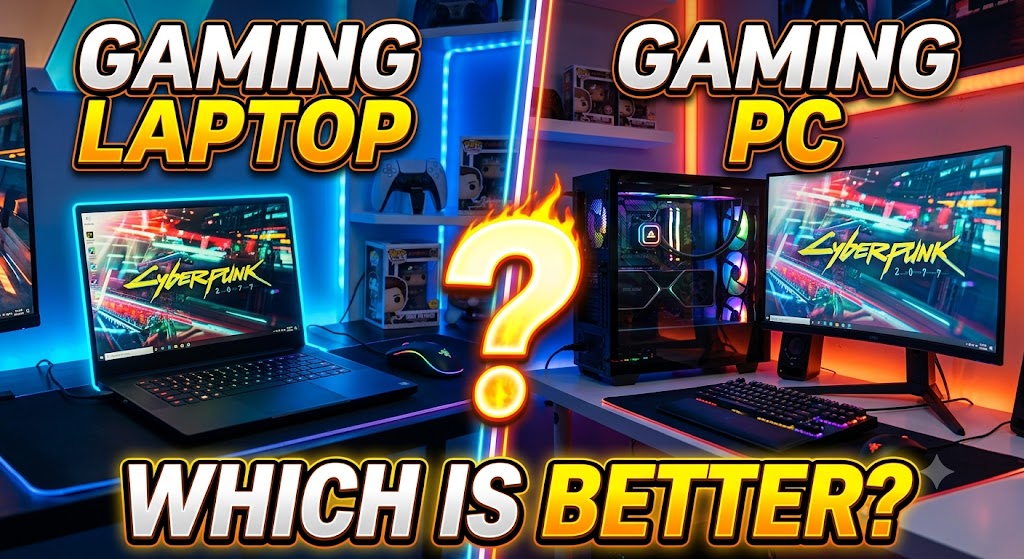
A gaming laptop combines gaming hardware, a display, keyboard, battery, speakers, and other components into a portable computer. Modern gaming laptops can include powerful dedicated GPUs and technologies such as ray tracing, DLSS, and AI-assisted performance features. NVIDIA’s current RTX 50 Series laptop GPUs range from the RTX 5050 through RTX 5090, with performance and power varying significantly by laptop model. (NVIDIA) A gaming laptop is therefore attractive to users who need gaming performance while also being able to move their computer between locations.
A gaming PC, usually referring to a desktop gaming computer, separates the main components into a larger system that can be configured and upgraded. Because desktop systems have fewer space and power constraints, they can accommodate powerful CPUs, GPUs and cooling solutions. They can also be upgraded over time, depending on component compatibility. NVIDIA offers both desktop graphics cards and gaming laptops, illustrating the different hardware platforms available to PC gamers. (NVIDIA) A gaming PC is generally better suited to users who prioritize maximum performance, customization and long-term upgradeability.
Quick Comparison Table
| Feature | Gaming Laptop | Gaming PC |
|---|---|---|
| Portability | Excellent | Poor |
| Gaming Performance | Very Good to Excellent | Excellent to Extreme |
| Graphics Performance | Depends on laptop GPU and power limit | Usually higher potential |
| Upgradeability | Limited | Excellent |
| Cooling | More constrained | Better potential |
| Display Included | Yes | Usually no |
| Keyboard Included | Yes | No |
| Mouse Included | Usually no | Usually no |
| Battery | Yes | No |
| Desk Space | Less required | More required |
| Customization | Limited to moderate | Excellent |
| Noise Under Load | Can be noticeable | Depends on components/cooling |
| Maintenance | Moderate | Moderate |
| Repairability | Often more limited | Generally easier |
| Price-to-Performance | Usually lower | Usually better |
| Gaming on the Go | Excellent | Poor |
| Productivity | Excellent | Excellent |
| Future Upgrades | Limited | Excellent |
| Best For | Portable gaming | Maximum performance and flexibility |
1. Gaming Performance
Gaming Laptop
Gaming laptops can deliver strong gaming performance using dedicated GPUs. However, laptop GPU performance depends not only on the GPU model but also on the laptop’s power limits, cooling system and overall design. NVIDIA’s specifications show that even different implementations of laptop GPUs can operate across different power ranges. (NVIDIA)
High-end gaming laptops can provide excellent performance at 1080p, 1440p and, depending on the hardware and game, higher resolutions.
Gaming PC
A desktop gaming PC has considerably more flexibility when selecting the CPU and GPU. Larger cooling systems and higher-power desktop components can allow a desktop to achieve performance levels that are difficult to match in a portable chassis.
NVIDIA’s product range separately includes desktop graphics cards and gaming laptops, giving buyers different performance and form-factor options. (NVIDIA)
What this means for the user: Both can provide excellent gaming performance, but a desktop gives you a higher performance ceiling when comparing similarly positioned hardware.
🏆 Winner: Gaming PC
2. Graphics Quality
Gaming Laptop
Modern gaming laptops can include advanced graphics technologies such as hardware-accelerated ray tracing and DLSS. NVIDIA’s current RTX 50 Series laptops support DLSS 4.5 and advanced ray-tracing technologies. (NVIDIA)
However, actual gaming performance depends on the exact laptop configuration.
Gaming PC
A desktop PC can use powerful desktop graphics cards and allows the user to select the GPU according to the desired resolution and graphical settings.
A high-end desktop GPU can therefore provide more graphics performance than many laptop configurations.
What this means for the user: If maximum graphical performance is your priority, desktop hardware generally gives you more room to achieve it.
🏆 Winner: Gaming PC
3. Portability
Gaming Laptop
Portability is the biggest advantage of a gaming laptop. The display, keyboard, battery and computer hardware are integrated into one device.
You can move it between rooms, take it to work or college, or travel with it without carrying a separate desktop tower and monitor.
Gaming PC
A desktop gaming PC is designed primarily for stationary use. Moving it can require transporting the tower, monitor, keyboard, mouse and other peripherals.
What this means for the user: If you regularly need to carry your computer, the desktop’s performance advantage may be less important than the laptop’s portability.
🏆 Winner: Gaming Laptop
4. Upgradeability
Gaming Laptop
Gaming laptops have limited upgrade possibilities. Depending on the model, users may be able to upgrade components such as RAM or storage, but the CPU and GPU are generally not replaceable like desktop components.
The exact upgrade options depend on the manufacturer and model.
Gaming PC
Desktop gaming PCs offer much greater upgrade flexibility. Users can potentially replace the GPU, CPU, RAM, storage, power supply and cooling components, subject to compatibility.
What this means for the user: A desktop can be gradually upgraded instead of replacing the complete system.
🏆 Winner: Gaming PC
5. Cooling
Gaming Laptop
Gaming laptops have to fit powerful hardware into a relatively compact chassis. Manufacturers therefore use specialized cooling designs to manage CPU and GPU temperatures.
NVIDIA’s Max-Q technologies are specifically designed to optimize laptop performance, power efficiency, thermals and acoustics. (NVIDIA)
Gaming PC
A desktop has much more physical space for larger heatsinks, multiple fans, liquid cooling systems and better airflow configurations.
This gives desktop systems greater cooling flexibility.
What this means for the user: For sustained high-performance gaming, a well-built desktop has a stronger cooling advantage.
🏆 Winner: Gaming PC
6. Display
Gaming Laptop
A gaming laptop includes its own display. Depending on the model, it can offer features such as high refresh rates and high resolution.
This means you can start gaming without purchasing a separate monitor.
Gaming PC
A desktop gaming PC normally requires a separate monitor. This adds to the initial setup cost, but it also gives you complete freedom to select the screen.
You can choose a 1080p, 1440p or 4K monitor, depending on your budget and graphics hardware.
What this means for the user: Laptop wins for convenience, while PC provides more choice.
🏆 Winner: Tie
7. Keyboard and Mouse
Gaming Laptop
A gaming laptop includes a built-in keyboard and touchpad. Some gaming models also offer dedicated gaming-oriented keyboard features.
However, many serious gamers still connect an external gaming mouse and keyboard.
Gaming PC
A desktop requires a separate keyboard and mouse, but this is also an advantage because you can choose exactly what you want.
Mechanical keyboards, high-DPI gaming mice and other peripherals can be selected independently.
What this means for the user: Laptop is more convenient out of the box, while desktop offers greater customization.
🏆 Winner: Depends on User’s Needs
8. Battery and Power
Gaming Laptop
A laptop has a built-in battery, allowing it to operate away from a wall outlet. However, demanding gaming can consume considerably more power than light everyday tasks, so gaming while unplugged is generally not the same experience as gaming while connected to power.
Laptop manufacturers use power-management technologies to balance performance, battery life and thermals. NVIDIA’s Max-Q platform includes technologies specifically designed around power efficiency and battery life. (NVIDIA)
Gaming PC
A desktop has no battery and must remain connected to mains power.
What this means for the user: Laptop wins when battery operation and mobility matter.
🏆 Winner: Gaming Laptop
9. Price-to-Performance
Gaming Laptop
The price of a gaming laptop includes not only the CPU and GPU but also the display, keyboard, battery, chassis, cooling system and other integrated components.
This convenience can make a gaming laptop more expensive than a desktop with comparable gaming performance.
Gaming PC
A desktop lets you allocate more of the budget directly toward performance components such as the GPU and CPU.
However, remember that the desktop also requires a monitor and peripherals.
What this means for the user: A desktop usually provides better performance per dollar when portability is not required, but the comparison changes when the cost of a monitor and peripherals is included.
🏆 Winner: Gaming PC
10. Maintenance and Repairs
Gaming Laptop
Laptop components are packed into a compact chassis, and repair or replacement can be more model-specific. Some components may be soldered or otherwise difficult to replace.
Cleaning and maintenance can also require greater care because of the compact cooling system.
Gaming PC
Desktop components are generally easier to access. Individual parts can often be replaced without replacing the complete machine.
The exact repairability still depends on the case, motherboard and component design.
What this means for the user: Desktop systems generally provide easier access to hardware.
🏆 Winner: Gaming PC
11. Customization
Gaming Laptop
You can customize software, accessories and sometimes memory or storage, but the physical design and core hardware are largely determined by the manufacturer.
Gaming PC
A desktop can be customized extensively.
You can choose the:
- CPU
- GPU
- Motherboard
- RAM
- SSD
- Power supply
- Case
- Cooling system
- Fans
- Monitor
- Keyboard
- Mouse
What this means for the user: A desktop is far more suitable if you want to build a computer around your exact requirements.
🏆 Winner: Gaming PC
12. Future Upgrades
Gaming Laptop
A laptop’s core gaming performance usually remains tied to the CPU and GPU it was purchased with. Storage and memory upgrades may extend its useful life, but major performance upgrades are generally limited.
Gaming PC
A desktop can receive major upgrades over time. For example, you can replace an older graphics card with a newer one without necessarily replacing the complete computer.
What this means for the user: Desktop gaming PCs are much better for people who want to upgrade gradually.
🏆 Winner: Gaming PC
13. Gaming on the Go
Gaming Laptop
This is where gaming laptops clearly stand out. You can take the same computer with you and continue gaming wherever suitable power and connectivity are available.
Modern gaming laptops are specifically designed to combine gaming performance with portable form factors. NVIDIA’s laptop range includes performance-focused models alongside technologies intended to manage power and thermals in portable systems. (NVIDIA)
Gaming PC
A desktop is not practical for frequent travel.
What this means for the user: If you move between locations regularly, desktop performance may not compensate for the inconvenience of transporting the complete setup.
🏆 Winner: Gaming Laptop
14. Productivity and Other Uses
Gaming Laptop
A gaming laptop can be used for gaming, office work, education, programming, photo editing, video editing and other PC tasks.
Its integrated display and battery make it especially convenient for working away from a desk.
Gaming PC
A gaming PC is equally capable of general computer tasks and can be especially attractive for demanding workloads that benefit from powerful desktop hardware.
NVIDIA positions modern GeForce systems for gaming as well as creative and productivity workloads. (NVIDIA)
What this means for the user: Both are capable general-purpose computers.
🏆 Winner: Tie
15. Desk Space
Gaming Laptop
A laptop requires relatively little desk space. You can use the built-in display and keyboard without setting up a separate monitor and full-size keyboard.
Gaming PC
A desktop setup normally requires a tower, monitor, keyboard, mouse and associated cables.
What this means for the user: Laptop is more convenient for smaller rooms or temporary workspaces.
🏆 Winner: Gaming Laptop
16. Long-Term Value
Gaming Laptop
A gaming laptop can remain useful for several years, but its major internal gaming components cannot usually be upgraded as freely as those in a desktop.
Gaming PC
A desktop can have a longer upgrade path because individual components can be replaced as technology advances.
That does not mean every desktop component will remain compatible indefinitely, but the platform generally offers more upgrade flexibility.
What this means for the user: If you plan to upgrade rather than replace your entire machine, a desktop has the stronger long-term advantage.
🏆 Winner: Gaming PC
Final Comparison Table
| Category | Winner |
|---|---|
| Gaming Performance | Gaming PC |
| Graphics Performance | Gaming PC |
| Portability | Gaming Laptop |
| Upgradeability | Gaming PC |
| Cooling | Gaming PC |
| Display Convenience | Gaming Laptop |
| Keyboard & Mouse | Depends |
| Battery | Gaming Laptop |
| Price-to-Performance | Gaming PC |
| Maintenance & Repairs | Gaming PC |
| Customization | Gaming PC |
| Future Upgrades | Gaming PC |
| Gaming on the Go | Gaming Laptop |
| Productivity | Tie |
| Desk Space | Gaming Laptop |
| Long-Term Value | Gaming PC |
Final Verdict
Choose a Gaming Laptop if:
- You need to carry your computer regularly.
- You travel frequently.
- You want the display and keyboard included.
- You have limited desk space.
- You want one machine for gaming, work and study.
- Portability is more important than maximum performance.
Choose a Gaming PC if:
- You want the highest possible gaming performance for your budget.
- You want better upgradeability.
- You want extensive hardware customization.
- You want stronger cooling potential.
- You want to upgrade individual components over time.
- You mainly play games at one fixed location.
- You also want maximum flexibility when selecting your monitor and peripherals.
Overall Winner: Gaming PC — for Most Desktop Gamers
A Gaming PC is the better choice for most users who prioritize gaming performance, upgradeability, customization and long-term value. Desktop hardware generally provides more room for powerful components and cooling.
However, a Gaming Laptop is the better choice when portability is important. It combines the computer, display, keyboard and battery into one device, making it much more practical for people who need to game or work in different locations.
In simple terms: choose a Gaming PC for maximum performance and upgrades; choose a Gaming Laptop for portability and convenience.
Disclaimer
Gaming performance varies significantly between individual laptop and desktop configurations. The same GPU family can have different performance depending on power limits, cooling, CPU configuration and other system characteristics. Prices, specifications and available models can change over time. Always check the manufacturer’s specifications for the exact model before purchasing.